

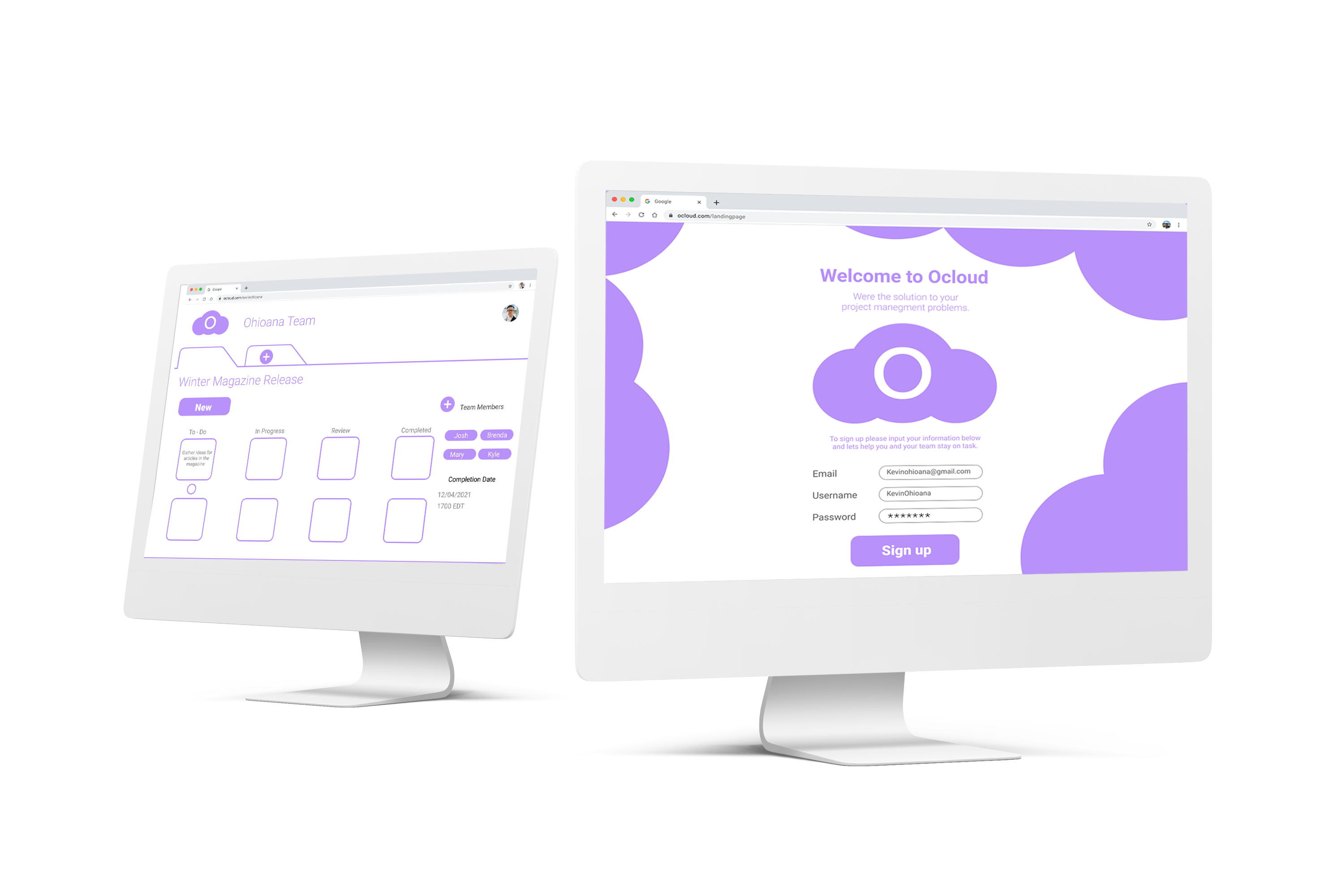
The project came from an employee at the Ohioana Library association suggesting that they need a new project management system but couldn't decide on which system would best suit their organization. To solve this I created OCloud for members of the employees to test out whether a simpler version of project management software would work out. To do this in a timely manner I completed a design sprint which is a five-stage process spread over a week of work.
By focusing on a calming presence, lots of breathability, and simple project and task setup it allows users to focus on making tasks clearer. This helps to manage not only the project but the overall stress of the team. By using the Kanban method it easily breaks down the project across stages of completion adding another layer to the project management workflow by incorporating increased efficiency.
Before I began the design sprint I took the liberty to break up the different days into processes. Since this was my first sprint I had to recognize my tendency to rush into the wireframing and prototyping, and so I used the different stages as my own form of project management.

To begin the design sprint I began by interviewing the client and getting more insights on their goals and difficulties, with this I was able to form user stories and pain points that shaped the scope of the project.
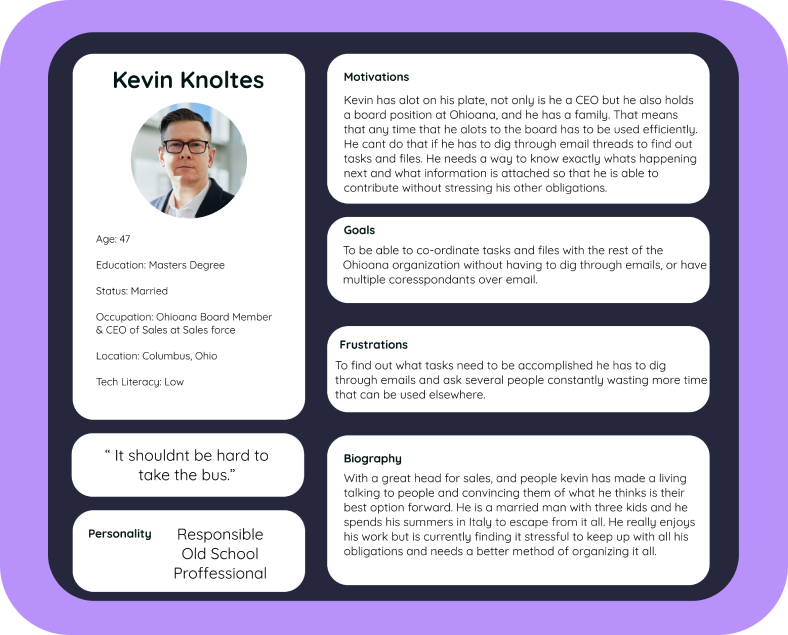
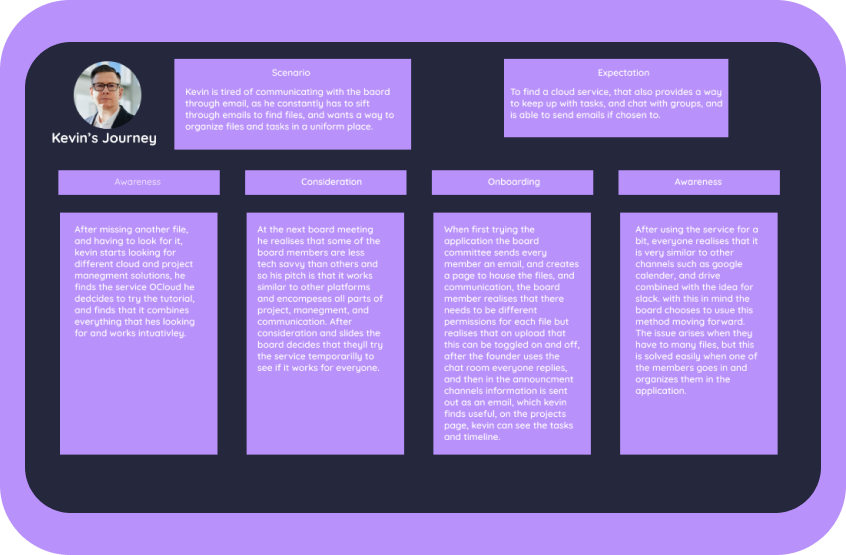
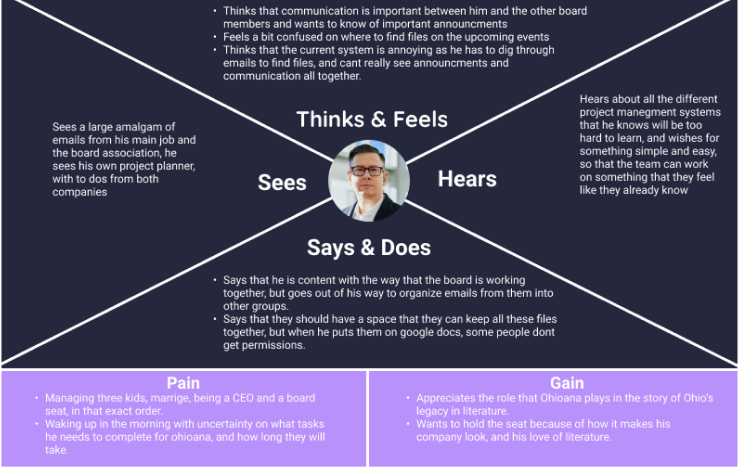
With the information from the interview, Kevin was created to be our persona. He is an older member of the board who is losing files and tasks in his email, and finally used Ocloud's Kanban method to keep track of each of the tasks he has coming up as well as the files attached to each task.
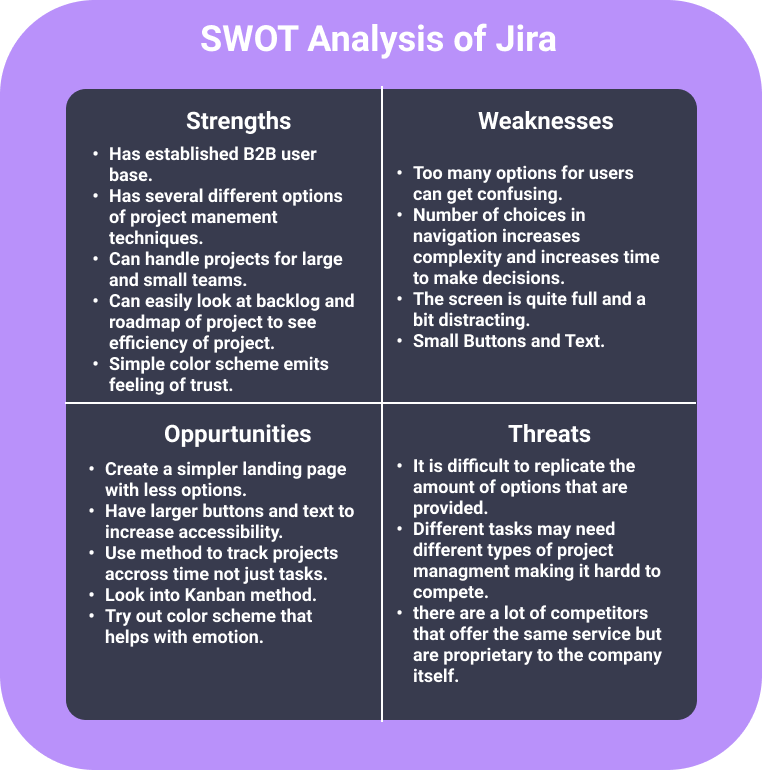
Before we could start sketching we needed some inspiration and so we looked at certain competitors in the space, such as Jira, and Trello for the project Management Aspect, and when considering file-sharing as a feature we looked at google drive for its design pattern. I then took it a step further and completed a SWOT analysis on Jira for more insight.
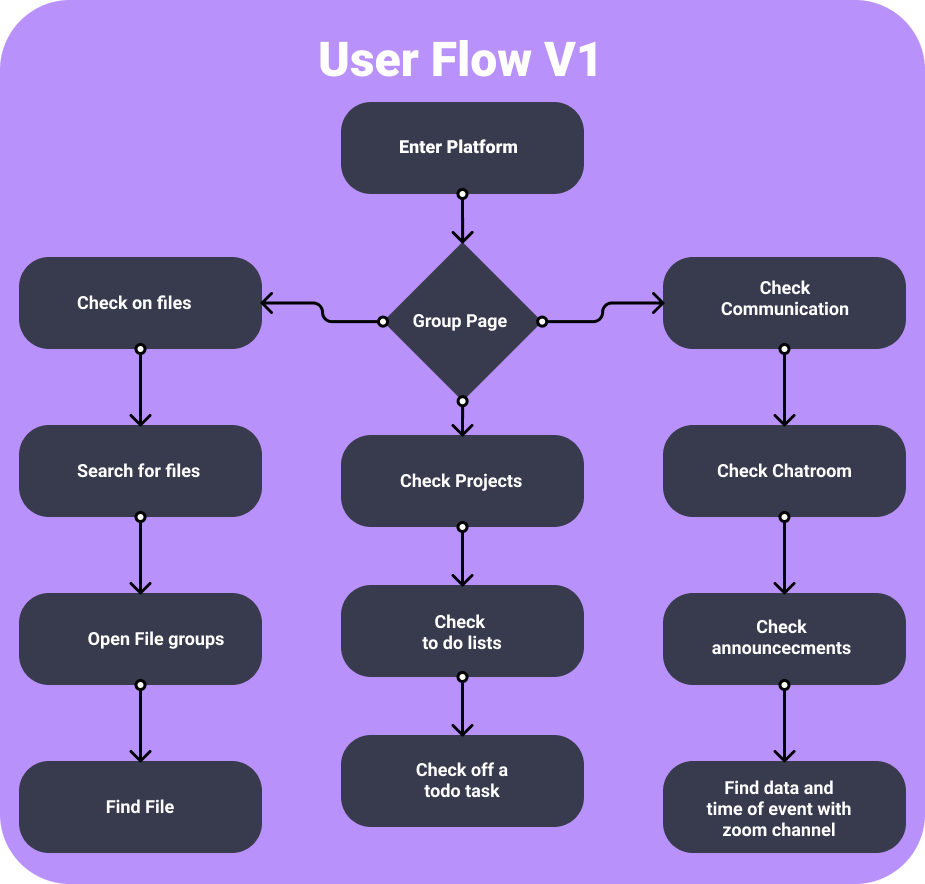
Using Kevin's profile we were able to tune in on a User flow that felt easy and simple enough for Kevin to enjoy organizing tasks for the company. Keeping in mind some of the design patterns and opportunities that we saw from our competition.
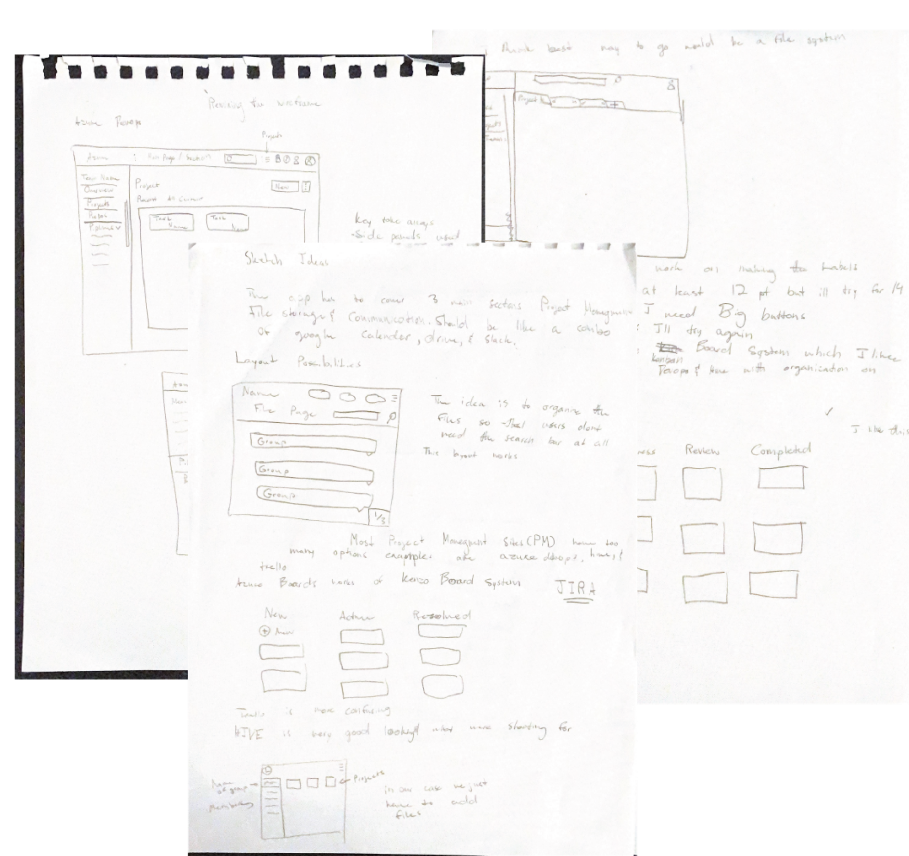
After gathering research on project management I was able to being sketching possible layouts for the prototype build. I began by compiling notes on different layouts and features that I liked and thought would be useful in the final build of the software.
After gathering my thoughts in the form of some notes I then completed the crazy 8’s activity to gather some more outside of the box ideas. I was able to think of 8 different layout in 2 minute intervals. This resulted in some unorthodox ideas but other useful ideas.
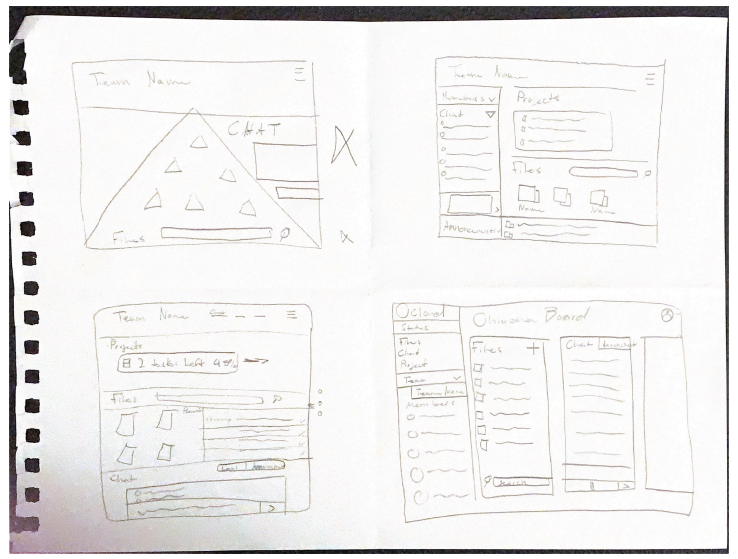

After gathering my thoughts in the form of some notes I then completed the crazy 8’s activity to gather some more outside of the box ideas. I was able to think of 8 different layout in 2 minute intervals. This resulted in some unorthodox ideas but other useful ideas.
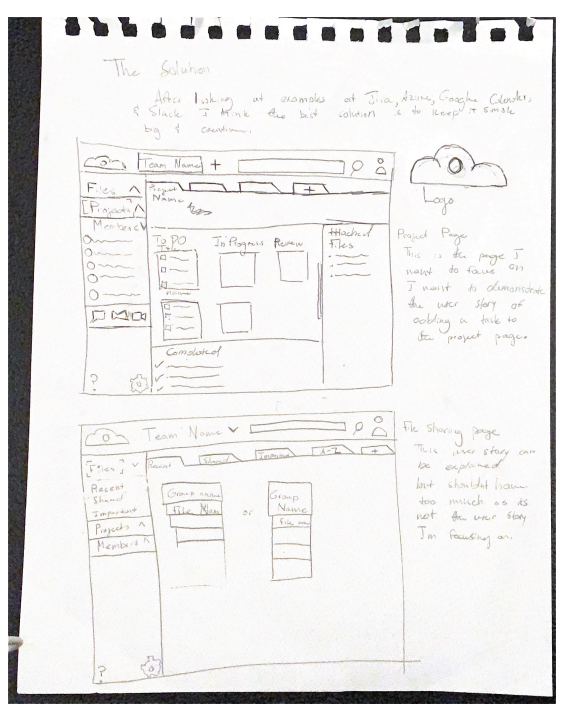
In a traditional design sprint I would have access to experts on the scene to have them reflect on sketches. Since I didn't have them around me, I decided to do some extra user testing to gain the same effect. I sent out the final sketches to people that use project management software and the client to get reflections on the design.
With the lackluster response to the final sketches, I decided to switch up my thinking and develop a simpler layout. I learned that I needed to shift my focus on just the project management platform and make that function the best it can be.
I looked back at the notes I wrote for inspiration while also taking note of the opportunities panel from the SWOT analysis. With a simple layout and tracking projects through time, I landed on the Kanban method to move the project forward.
I built the prototype as an onboarding experience. To make sure it was simple to use, it had to be simple to teach new users.
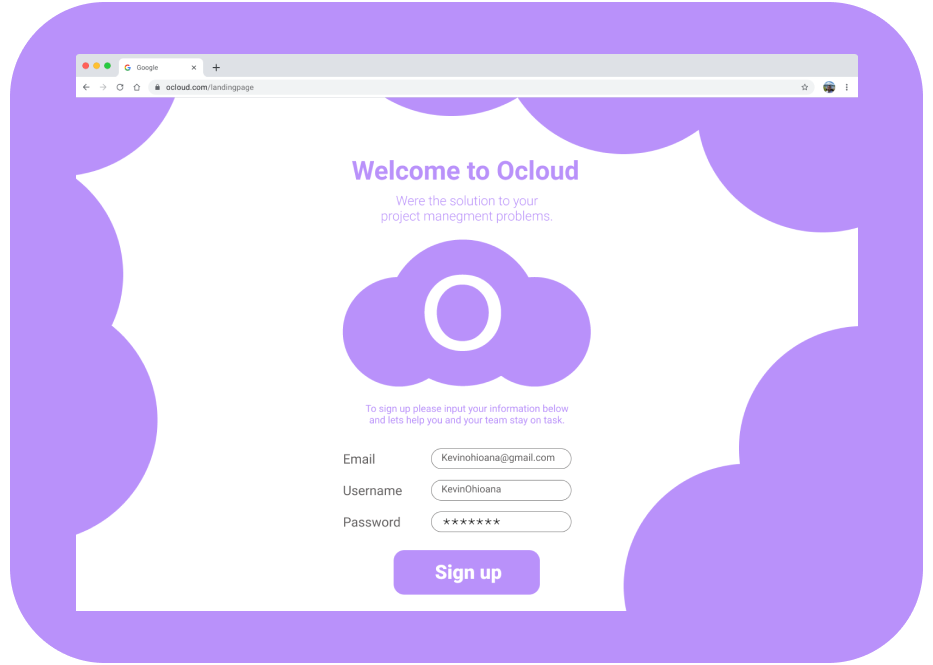

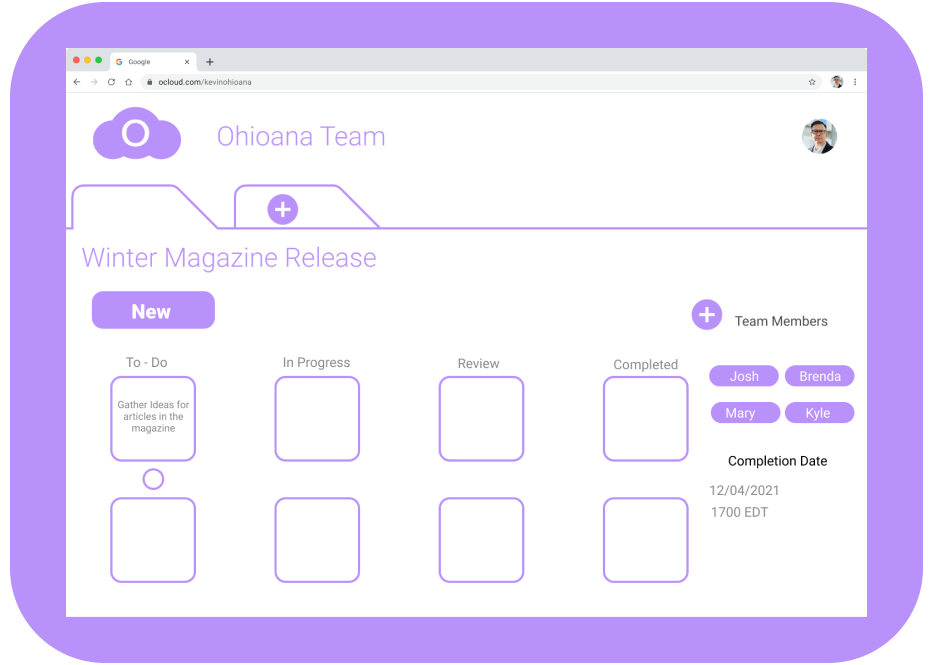
The testing phase had three participants one of which was a member of the Ohioana Staff. Overall the reaction to the layout was quite good, with only one of the participants being confused about the Kanban method of project management. The participants really liked the minimalistic feel of the system, and that it made them feel calm. They all did however find it is difficult to differentiate between editing and adding a task and so that is something to consider for future changes.

After the testing phase there was a lot of things that users liked, but a distinct need to differentiate between adding a task, and editing the task. Seeing as this was the end of the design sprint it has to be reserved to further iterations of the prototype for it to be addressed.

The reaction by the user from Ohioana and other testes went really went they liked the Kanban platform and how simple and calm the software made them feel. As far as creating a template for what a good project management solution would be this can be considered a success!
The reaction by the user from Ohioana and other testes went really went they liked the Kanban platform and how simple and calm the software made them feel. As far as creating a template for what a good project management solution would be this can be considered a success!
Please try the prototype for yourself and send your thoughts through my communication channels below. Thank you for reading through my case study.
